Sat Rocks IV
Again a badge from a music festival: Sat Rocks IV
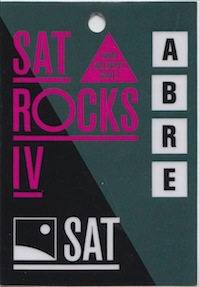
Again a badge from a music festival: Sat Rocks IV
The next badge is from a concert (or rather a series of three concerts): MoleKul'Air

Another badge from a music festival: Festival Balelec 2011

Here comes the next badge. This time not from a tech conference but from a music festival: Metropop Festival 2011

For insiders, there is also a view of the backside :-)
When attending conferences you often receive a badge granting you access (which usually is not much more than a nametag with some logo). Also when working at concerts and festivals you receive a badge identifiying you as staff. I regularly keep these as souvenirs which remind me of the amazing times passed at those events.
Over the time there are now a couple of badges hanging on my closet and I think it would be nice to be able to look through them on my laptop. Thus this new Badges category in the weblog.
My idea for now is to put a new badge online every day until Christmas like some form of an Advent calendar.
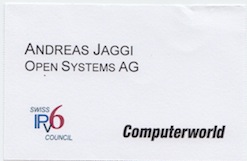
Here is the first one, it is from the IPv6 Business Konferenz:
The database which previously powered this weblog vanished without a trace two years ago and people only got some PHP/XML error when surfing this site since then. Unfortunately the last backup of the database was more than four years old...
To restore the content of this weblog the Webarchive from Archive.org was parsed with the help of some scripts in order to extract the missing posts. The resulting data was cross-checked with the last database backup and the generated static RSS feed files.
Then all the posts with their meta information were converted and stored in the appropriate format for the new system. Finally the layout was migrated to the new system and some glue files were created in order to provide backwards compatibility for the old link format.
After two months of restore/migration/polishing work the weblog is now online again, powered by jekyll and currently hosted with GitHub Pages.
To process all **frozen** messages in the Exim queue use this command:
mailq | grep frozen | awk '{print $3}' | xargs exim -v -M
To whipe the Exim message queue use the following command:
exim -bp | exiqgrep -i | xargs exim -Mrm
Adding the following line to the Exim4 configuration prevents that all the disk space is used up by the messages in the spool folder:
check_spool_space=100M
This refuses incoming messages with a "452 Space shortage, please try later" message when less than 100 megabytes of disk space are available on the partition where the spool folder resides.